
KingzDesigns Enterprise 2FA — Secure WordPress Two-Factor Authentication
🧾 Overview
Protect your WordPress website, administrators, and users from unauthorized access and credential theft with robust, mandatory Two-Factor Authentication (2FA). KingzDesigns Enterprise 2FA is a fully self-hosted, enterprise-grade security plugin that brings bank-level authentication to your login screen. With granular role-based policies, custom login branding, trusted device management, and unbreakable cryptographic separation, this plugin gives you complete control over your site’s security without sacrificing user experience.
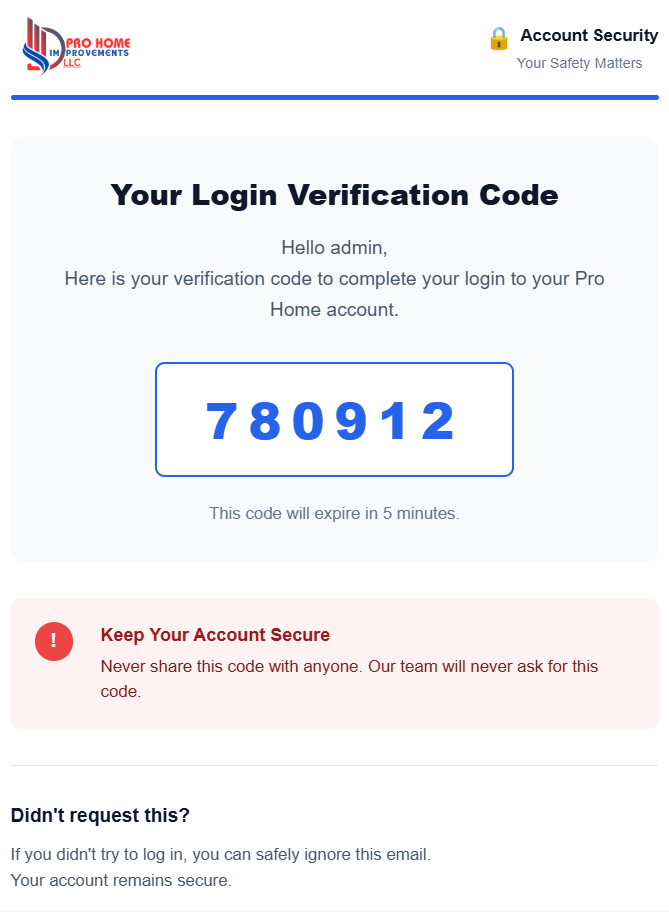
🌟 Features
🛡️ Role-Based Security Policies — Total Control
Stop relying on all-or-nothing security. The Policies tab allows you to define exactly how 2FA is enforced across your entire organization based on WordPress user roles:
- Mandatory — Users must set up 2FA immediately upon their next login. They cannot access the WordPress dashboard until their account is secured.
- Optional — Users are encouraged to set up 2FA through their profile, but are not forced to do so.
- Disabled — 2FA is completely turned off for this specific role (ideal for low-level subscribers or API users).
📱 Authentication Methods — Reliable & Standardized
The plugin relies on proven, industry-standard authentication protocols that work offline and don’t depend on unreliable SMS gateways:
- Authenticator Apps (TOTP) — Fully compatible with Google Authenticator, Microsoft Authenticator, Authy, 1Password, and any standard Time-Based One-Time Password app. Users simply scan the generated QR code to enroll.
- Encrypted Recovery Codes — Upon enrollment, users are issued a set of single-use backup codes. If they lose their phone, they can still access their account safely.
💻 Trusted Devices — Frictionless Security
Security shouldn’t mean logging in twice every single day. The Trusted Devices feature allows users to check a “Trust this device for 30 days” box when verifying their 2FA code.
Subsequent logins from that exact browser and device will seamlessly bypass the 2FA prompt until the trust period expires, significantly reducing authentication fatigue for your daily administrators and editors.
🎨 Custom Branding & White-Labeling
The Branding tab ensures your login flow looks like your company, not just a default WordPress screen.
- Company Name — Replaces default text on the login and setup screens.
- Company Logo — Upload your own logo to be displayed prominently during the 2FA challenge and enrollment flows.
- Authenticator App Issuer — Customize the name that appears inside the user’s Google Authenticator app (e.g., “Pro Home 2FA”) so they can easily identify your site.
📊 Dashboard & System Health
The Dashboard gives administrators a bird’s-eye view of the site’s security posture at a glance:
- Adoption Metrics — See exactly how many users are actively enrolled in 2FA.
- System Health — Real-time checks ensure your cryptographic functions and master encryption keys are valid and operating correctly.
- Admin Self-Enrollment Card — A smart, dynamic card that instantly prompts the currently logged-in administrator to secure their own account if they haven’t already.
📋 User Management & Enforcement
The User Manage tab is a powerful administrative control center for handling locked-out users and enforcing compliance:
- View Enrollment Status — See whether a user is enrolled, unenrolled, or forced to enroll.
- Force Enrollment — Manually flag any user so they are trapped at the enrollment screen upon their next login attempt.
- Reset TOTP Secrets — Instantly wipe a user’s authenticator configuration if their device is compromised or lost.
- Revoke Trusted Devices — Invalidate all saved sessions and trusted devices for a user with a single click, forcing them to verify a new 2FA code immediately.
🔒 Enterprise-Grade Cryptography
Unlike basic 2FA plugins that store authentication secrets in plain text, KingzDesigns Enterprise 2FA uses a Cryptographic Master Key Architecture.
Your master encryption key (KD_2FA_ENCRYPTION_KEY) is stored safely in your wp-config.php file, completely separated from the database. All TOTP secrets and recovery codes are heavily encrypted using 256-bit authenticated encryption before being saved to the WordPress database. Even if your database is breached or exported, the attackers cannot generate 2FA codes.
🚀 Smart Onboarding & Setup Wizard
We’ve eliminated the technical headaches of setting up encryption. The built-in Setup Wizard guides you through the process step-by-step:
- System Security — Automatically provisions your master encryption key into
wp-config.phpif your server allows it. If your server is strictly locked down, it provides a safe, copy-paste manual fallback. - Policy Configuration — Set your role requirements immediately.
- Branding — Upload your logo.
- Admin Lockout Prevention — Intelligently detects if your new policy requires you to have 2FA, and provides a direct button to secure your own account before you finish.
👥 Who Is This Plugin For?
- Enterprise & Corporate Websites that must comply with strict data security regulations and internal IT policies.
- WooCommerce Store Owners protecting customer data, order details, and financial settings from compromised admin accounts.
- Digital Agencies deploying secure, white-labeled login flows for their clients.
- Membership & LMS Sites wanting to offer optional 2FA to premium subscribers or students.
- High-Traffic Blogs looking to secure their editorial staff, authors, and contributors.
✅ Why Choose KingzDesigns Enterprise 2FA?
| Feature | What You Get |
|---|---|
| Authentication Protocol | Standard TOTP (Google Auth, Authy, etc.) |
| Backup Access | Single-use Recovery Codes |
| Role-based Enforcement | ✅ Mandatory, Optional, or Disabled |
| Trusted Devices | ✅ “Remember Me” for 30 days |
| Custom Login Branding | ✅ Upload Company Logo & Name |
| Admin Management Dashboard | ✅ Full control over user resets |
| Cryptographic Security | ✅ 256-bit Master Key Architecture |
| Plaintext Secrets | ❌ NEVER stored in plaintext |
| Setup Wizard | ✅ Guided onboarding & auto-provisioning |
| Admin Lockout Protection | ✅ Smart bypass for misconfigurations |
| External API Dependencies | ❌ None. 100% Self-Hosted. |
| Cost | 🆓 Free / Open Source |
❓ Frequently Asked Questions
Does this plugin support Google Authenticator? Yes. It supports Google Authenticator, Authy, Microsoft Authenticator, 1Password, Duo, and any app that supports standard Time-Based One-Time Passwords (TOTP).
What happens if a user loses their phone? When a user enrolls, they are provided with a list of one-time Recovery Codes. They can use one of these codes to log in and reset their 2FA settings. If they lose those too, an Administrator can reset their account from the dashboard.
Can I force all my Administrators to use 2FA? Yes. Go to the Policies tab and set the Administrator role to “Mandatory”. Upon their next login, they will be forced to scan a QR code and set up 2FA before accessing the dashboard.
Will this lock me out if I haven’t set up 2FA yet? No. The plugin features smart admin-lockout protection. The Setup Wizard will explicitly prompt you to secure your own account, and the dashboard provides a prominent “Set Up My 2FA” button for the logged-in administrator.
Where is the encryption key stored? To ensure enterprise-grade separation of concerns, the master encryption key is stored in your wp-config.php file, not in the database. The Setup Wizard will attempt to safely auto-provision this for you.
Can I customize the login screen? Yes. You can upload your own company logo and specify your company name in the Branding tab. This replaces the default WordPress logo during the 2FA challenge and setup screens.
Does this plugin slow down my site or rely on external servers? No. The entire cryptographic engine and QR code generator are bundled directly inside the plugin. It makes zero external API calls and runs entirely on your own server for maximum privacy and performance.
KingzDesigns builds free and premium online tools focused on productivity, design, and digital efficiency. Our mission is to make powerful, professional tools accessible to everyone — without unnecessary complexity.