
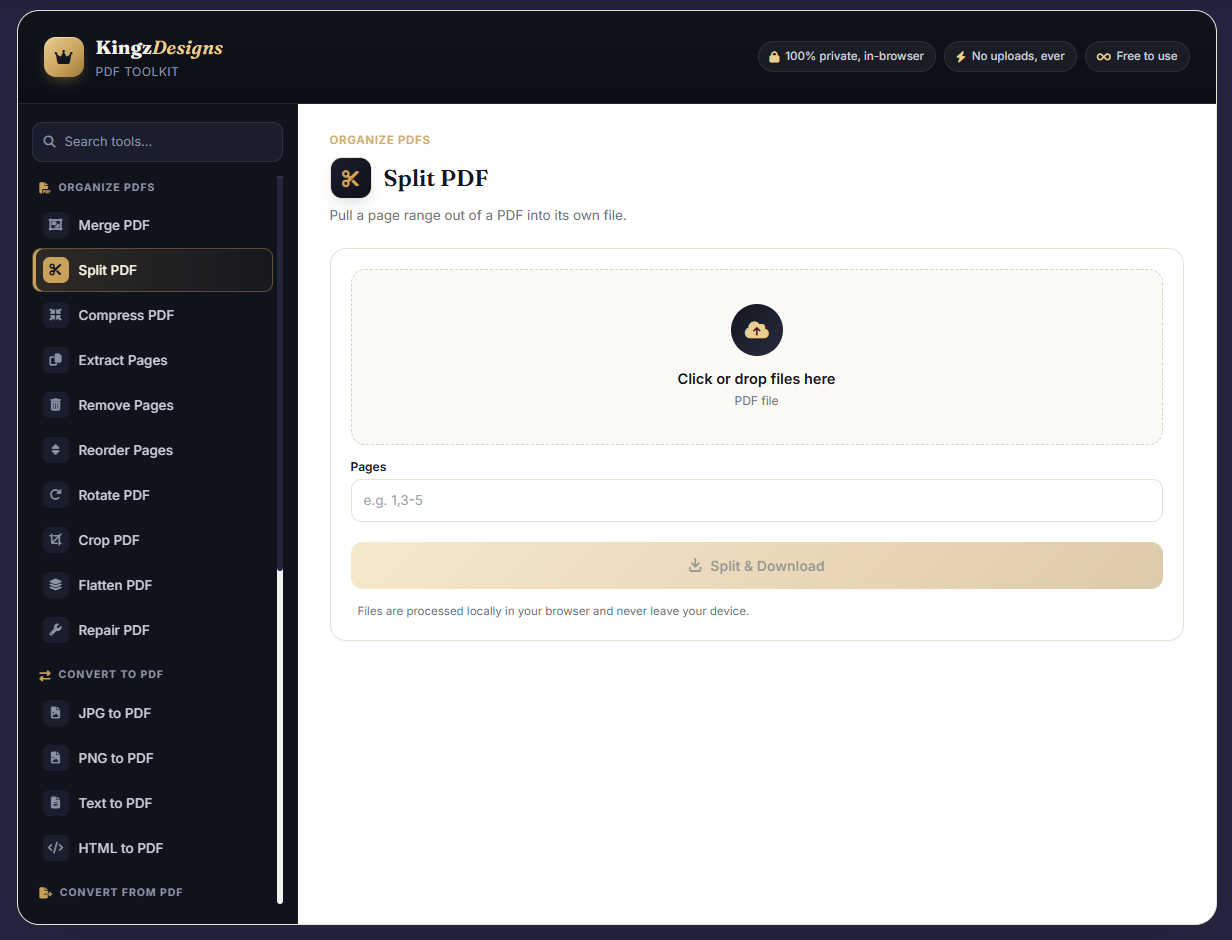
PDF Toolkit , Free Online PDF Tools
Overview
The KingzDesigns PDF Toolkit is a simple, fast, and private collection of over 25 PDF tools that you can use straight from your web browser. No downloads, no installations, no accounts — just visit the page and start working with your files instantly.
Whether you need to combine several PDFs into one, shrink a file to email it, convert images into PDF, or password-protect a sensitive document, every tool is just a click away. Everything happens on your own device, so your files stay completely private.
Manage PDF files online with tools to merge, split, compress, convert, and edit PDFs in one place.
Key Features
✅ All Your PDF Tools in One Place
Merge, split, compress, rotate, extract pages, add watermarks, and more — a full toolkit that replaces dozens of separate websites.
🔄 Convert Files Back and Forth
Turn images (JPG, PNG) into PDFs, create PDFs from plain text, or export PDF pages as images or text files. No quality lost, no complicated steps.
🔐 Keep Your Documents Safe
Add a password to any PDF to prevent unauthorized access. Already have a protected file? Unlock it instantly if you know the password.
✏️ Edit and Organize Easily
Remove unwanted pages, rearrange them in the order you want, crop margins, add page numbers or headers, and even put your own images onto the pages.
⚡ Instant Results — No Waiting
Your files are processed right in your browser. There's no uploading to a server, so the moment you click "Download," your new PDF is ready.
📁 Drag & Drop Simplicity
Just drag your files into the tool window (or click to select them). See exactly which files you've added, remove any with one click, and proceed.
📱 Works on Any Device
Designed to look and work perfectly on computers, tablets, and smartphones. The layout adjusts automatically to your screen size.
🔒 100% Private — Nothing Leaves Your Device
We never see your files. There are no uploads, no tracking, no analytics. Your documents are yours alone, from start to finish.
🎨 Clean and Friendly Design
A clutter-free interface with big icons and clear labels. No confusing menus, no learning curve — just pick a tool and go.
How to Use
- Open the Toolkit — Visit the KingzDesigns PDF Tools webpage.
- Choose What You Need — Click on the tool you want from the sidebar (e.g., "Merge PDF", "Compress", "Add Watermark").
- Drop Your Files — Drag and drop your PDFs (or images) onto the upload area, or click to browse and select them.
- Set Your Options — If the tool asks for details (like pages to extract, rotation angle, or watermark text), fill them in.
- Process & Download — Click the main button. Your new PDF is saved to your device instantly — no waiting, no emails.
- Repeat as Often as You Like — All tools remain open; there's no limit on how many files you can process.
Who Is This For?
- Office workers & managers handling contracts, invoices, reports, and presentations
- Students & teachers organizing course materials, merging notes, or creating study guides
- Freelancers & small business owners who need quick, professional PDF edits without buying software
- Anyone who values privacy — if you don't want to upload sensitive documents to unknown websites, this is for you
- People on the go — use it from your phone or tablet, wherever you have internet
Privacy & Data Safety
Your privacy is our priority. Here's what you need to know:
- No files are uploaded — all work is done on your own computer or phone
- No account or registration is required to use any tool
- No tracking, cookies, or analytics — we don't monitor what you do
- No personal data is ever collected — you stay completely anonymous
This makes the toolkit ideal for handling confidential or personal documents safely.
Branding Notice
The tool may show a small "Powered by KingzDesigns" message. This helps us keep the toolkit free and constantly updated for everyone.
Disclaimer
The KingzDesigns PDF Toolkit is meant for general document tasks. Always keep backup copies of your important files before making permanent changes (like removing pages or overwriting). The user is responsible for ensuring that any documents processed comply with applicable copyright and privacy laws.
About KingzDesigns: KingzDesigns creates free, easy-to-use online tools that help you get things done faster — without complexity, hidden costs, or privacy worries. From code sharing to PDF management, our mission is to make powerful tools accessible to everyone, right from the browser.
Work smarter with your PDFs — no software, no uploads, no stress.
PDF Toolkit , Free Online PDF Tools 🚀The Evolution of Portable Document Format (PDF) Standards in Enterprise Workflows
Since its inception by Adobe in 1993 and subsequent publication as an open standard (ISO 32000-1) in 2008, the Portable Document Format (PDF) has reigned supreme as the world's most trusted medium for electronic document exchange. Unlike editable word processing formats whose appearance fluctuates based on installed operating system fonts, screen resolutions, and word processor engines, a PDF encapsulates the entire fixed-layout representation—including vector paths, typography subsets, raster images, and color space coordinates—guaranteeing 100% visual fidelity across every viewing device.
However, the very complexity that makes the PDF format robust also introduces significant administrative friction. Over the lifecycle of enterprise agreements, legal briefs, tax submissions, and academic manuscripts, documents frequently become bloated with redundant uncompressed data, suffer from mismatched page orientations, or require consolidation from disparate multi-format sources.
Core PDF Manipulation Operations Supported by KingzDesigns
1. Multi-Document Merging (Concatenation)
Combine disparate agreements, financial statements, and technical addendums into a single continuous vector stream without corrupting internal bookmarks or breaking page sequence numbering.
2. Lossless & Balanced Compression
Reduce file sizes by up to 85% by stripping duplicate embedded font tables, optimizing raster compression algorithms, and purging redundant XML metadata while retaining razor-sharp vector text.
3. Selective Page Extraction & Splitting
Extract specific legal exhibits, audit pages, or chapters from massive document bundles, generating self-contained, lightweight PDF excerpts ready for secure email distribution.
4. Format Normalization & Repair
Reconstruct corrupted PDF cross-reference tables (XREF) and convert raster image scans into standardized international A4 or US Letter PDF representations.
Security, Compliance & Client-Side Confidentiality Architecture
For legal, financial, and healthcare institutions, handling PDF files via free online tools presents severe compliance hazards under GDPR, HIPAA, and corporate confidentiality policies. Most commercial online PDF converters operate by transmitting complete document streams to centralized cloud storage clusters, where documents may persist on disk for hours or days, creating severe exposure to data leaks.
KingzDesigns PDF Toolkit implements a strict ephemeral memory architecture. Documents processed through our utilities are held exclusively in short-lived volatile memory allocations during the transformation pipeline, protected with single-use cryptographic download tokens, and purged immediately after completion. At no point are your sensitive legal contracts, intellectual property, or financial disclosures archived, indexed, or shared with third-party networks.